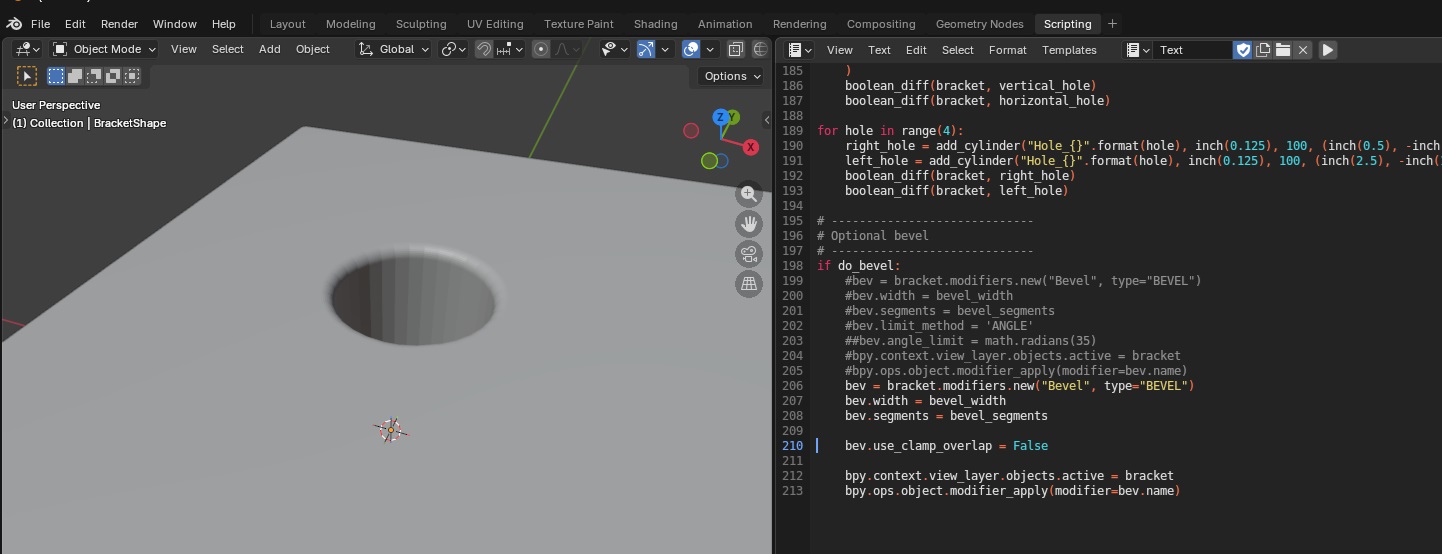
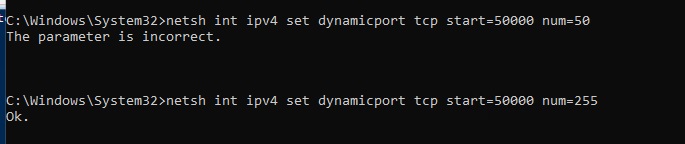
We finally have the Ender 6 printing – you need to keep the fan on any time the hot end is heating (or it clogs up), low retraction (2mm), and adjust the z offset as it prints the skirt (or brim, we’ve switched to using a brim to ensure adhesion)
Category: Technology
AI and the Entry Level Employee
I’ve long hypothesized that, as companies adopt AI (more accurately LLM’s) in their processes, the skillset required to enter the job market will change. You don’t need an entry level team member – that role is filled by the AI. You need a senior level person who can manage, direct, and oversee the junior “team members”. What that looks like varies by industry – in software development, you don’t need junior developers. You need a senior dev who does quality control on the generated code, integration, and debugging.
There’s now research backing up my expectation — https://papers.ssrn.com/sol3/papers.cfm?abstract_id=5425555
While the number of senior employees has continued to increase, the number of junior employees has actually decreased in the past few years.
PingFederate – OGNL Customization of AuthnContext
After a recent merger, we have added federated authentication in our PingFederate environment that allows the incoming company to continue to use their Entra (ADFS) logon process to authenticate through PingFederate. All of the IDs exist in our directory, and contract attributes are populated based on the local account. But the authentication is handled by their existing system. It’s really cool, and works for 99.9% of the applications. One, however, was not happy with the resultant attribute contract. It worked fine for me, logging in directly with PingFederate. Anyone who authenticated through Entra, however, got a very specific error:
AuthenticatingAuthority array contains a value which is not a wellformed absolute uri
And, yes, I concur – there is absolutely an element in the AuthenticatingAuthority array that is not a well-formed absolute URI

Luckily, there appears to be a solution. On the ACS URL tab, select “Show Advanced Customizations”

Use the drop-down to select the message type of “AssertionType” and the expression provided at https://support.pingidentity.com/s/article/OGNL-Examples-Message-Customization#rm-authauthority to remove authenticating authority values when multiple are present (which also works when only one is present)

Now I no longer have authenticating authorities but the AuthnContextClassRef is “urn:oasis:names:tc:SAML:2.0:ac:classes:Telephony” … so, in the assertion creation, we need to add SAML_AUTHN_CTX to the attribute contract

In the attribute contract fulfillment, map this to a static TEXT string – I am using “urn:oasis:names:tc:SAML:2.0:ac:classes:unspecified” which is used as the default in PingFederate

Final Answer! I have an AuthnContext that does not contain any invalid URI strings and a AuthnContextClassRef that is expected.

Quickref: tmux
Our newer servers don’t have screen – and you cannot install it – so I’ve had to start using tmux:
# list running sessions
tmux ls
# Start a new session or reattach to an existing session named LJR
tmux new-session -A -s LJR
# In session, detach
ctrl+b d Detach
# attach to an existing session named LJR
tmux attach-session -t LJR
Did you know … you can import accounts into Cyberark?
Adding one account to CyberArk takes about a dozen clicks. Adding fourteen was going to take me half the day!
Luckily, I discovered that the “Add account” button is actually a drop-down menu that also offers the ability to Add accounts from file

Create a CSV file with the following columns:
| userName | address | safeName | platformID | secret | automaticManagementEnabled | manualManagementReason | groupName | logonDomain |
| user1 | server1 | OURSAFE | Generic Unmanaged | abc123 | FALSE | Platform does not support automatic password management | ||
| user2 | server2 | OURSAFE | Generic Unmanaged | bcd234 | FALSE | Platform does not support automatic password management | ||
| user3 | server3 | OURSAFE | Generic Unmanaged | cde345 | FALSE | Platform does not support automatic password management | ||
| user4 | server4 | OURSAFE | Generic Unmanaged | def456 | FALSE | Platform does not support automatic password management | ||
| user5 | server5 | OURSAFE | Generic Unmanaged | efg567 | FALSE | Platform does not support automatic password management |
Then browse to select the CSV file. It will show you how many accounts are included in the file – 6 here

Click “Upload”. The accounts will be created, and you will see a banner at the top of the site

Did you know … you can view just your favorite accounts in CyberArk?
Is your CyberArk account view an overwhelming list of accounts? You are constantly using “Search for accounts” to find one of the three accounts you regularly use because they are buried somewhere in this list?

There’s a better way! The star at the left-hand side of each line allows you to mark an account as a “Favorite”. There’s a link under “Views” to just display your favorite accounts. Even better, though, if you click on the ellipsis button to the right of the “Favorites” link, you can select “Set as default”.

Now, when you log into CyberArk, you immediately see your curated list of accounts instead of all of them!

Authenticating WebLogic Admin Console with SAML 2.0 and PingID
Log into your console. Navigate to “Security Realms” and click on your admin console’s realm – here “myrealm”

From the first row of tabs, select “Providers”. On the second row of tabs, ensure you are on “Authentication”. Click “New” to create a new identity asserter.

Provide a name – here, it is called SAML_IA – and ensure the type is “SAML2IdentityAsserter”

Click OK to create the item. Then click the “New” button again to create a new SAML Authenticator

Restart the WebLogic server, then navigate to “Environment” => “Servers” and select the AdminServer

On the first row of tabs, select “Configuration”, on the second row of tabs, select “Federation Servies”, and on the third row of tabs select “SAML 2.0 General”

The published site URL will be your WebLogic host base followed by /saml2
Provide a unique entity ID that needs to match up with what we configure in PingID. Here, I used “LJRWebLogic”

Save the changes and then use the “Publish Metadata” button to save a metadata file that I will use with PingID. You will be saving an XML file

Now select the “SAML 2.0 Service Provider” tab on the third row of tabs. Click “Enabled” to enable the service provider. POST binding should be enabled, but we do not need Artifact binding enabled. Click “Save” to save the changes.

Navigate back to “Security Realms” and select your realm. On the first row of tabs, select “Providers”; on the second row of tabs, select “Authentication”. Click the hyperlink for “SAML_IA”

Click the “Management” tab

You will be provided a metadata file from PingID. Place that somewhere on your server (I used /tmp). Click “New” and then select “New Web Single Sign-On Identity Provider Partner”

Navigate to the metadata file and select it. Provide a name for the identity provider – here, I used PingID. Cilck “OK” to import the PingID details.

Click on the new entry to configure it

Click “Enabled” to enable the Identity Provider. The redirect URIs should be /console/*

Finally, on the WebLogic Server Admin Console, navigate to the domain name -> [Configuration] -> [General] and expand the [Advanced] link
Update cookie name in WLS admin console to be JSESSIONID.

Save the changes and restart the WebLogic server. Navigating to the console, here https://docker.rushworth.us:7001/console, will direct the user to PingID for authentication and then redirect the user’s browser back to the WebLogic server. Looking in the upper right corner of the screen, they will see they are logged in with their directory ID.

Note: You can still access the local authentication dialog by navigating directly to console/login/LoginForm.jsp – e.g. http://docker.rushworth.us:7001/console/login/LoginForm.jsp — but the “normal” URL will redirect users to PingID
Note Also: There needs to be some step here to map PingID users to a role in WebLogic
Failing to do so, you will complete the PingID authentication but be denied access to the WebLogic Admin Console:

Enabling SSL on the WebLogic Server Administration Console
Prior to enabling SAML authentication, please ensure your WebLogic Admin Console is using SSL. You will need a JKS keystore with your public/private key pair.
If you have a base64 encoded public/private key pair, create a JKS file as follows:
openssl pkcs12 -export -out docker.p12 -inkey docker.rushworth.us.key -in docker.rushworth.us.cer -name docker_rushworth_us -password pass:IChangedIt
keytool -importkeystore -srckeystore docker.p12 -srcstoretype PKCS12 -destkeystore docker.jks -deststoretype JKS -deststorepass IChangedIt -srcstorepass IChangedIt
List the keystore contents to confirm your certificate is present using:
keytool -list -keystore docker.jks -storepass IChangedIt

The certificate’s alias will be needed to configure SSL on the console. In this example, my certificate’s alias is docker_rushworth_us
Once there is a JKS file with your keypair located on the server, configure WebLogic to use it. On the WebLogic Admin Console, navigate to [domain]->Environment->Servers and select the system you want to configure. Here, AdminServer(admin)

On the “Configuration” tab, select the “General” sub-tab. Check the box for “SSL Listen Port Enabled” and supply a port number.

On the Keystores sub-tab, click “Change” to change the keystore being used.

Select “Custom Identity and Java Standard Trust”. Enter the path to your JKS file. The keystore type is jks. Enter and confirm the password you used to create the keystore. Enter the password for the cacerts file (java default is changeit)

On the SSL sub-tab, input the alias of the certificate. Also enter and confirm the key passphrase.

Linux Disk Utilization (du) Without Mount Points or /proc
I frequently use du -sh to determine what is using all the space on my Linux box … but mounting a data volume makes that simple command really suck (also, the mount point isn’t the problem for my local storage!). And all the /proc errors are just annoying — so pass in exclusions!
du -sh --exclude='/mnt/*' --exclude='/proc/*' /*
All restaurants are Taco Bell
There’s a scene in the movie Demolition Man where the lead character is being rewarded for his heroic life saving feats with … dinner at Taco Bell. Which he kind of questions – it’s food, but it’s not exactly the first place you think of for the “just saved the leader of our society” dinner. Except all restaurants are Taco Bell. I guess the name applies to anything from a quick takeaway meal to an exquisite fine dining establishment. Similarly, I posit that eventually, “all developers are lead developers”.
I’ve been thinking about how prolific use of AI in development is going to change the job. It’s not like the system replaces the developer – you still need someone to guide development. To ensure it meets the business needs. To make sure the AI’s code isn’t terrible (OK, not terrible but I’ve seen some out there solutions generated). To integrate, test, and generally serve as the lead developer.
I see people going from being a dev to a lead dev whose “team” is the AI. This change might be great for someone with some experience who is ready to be a lead dev. It gives you the opportunity to manage a team without having to talk someone into the management title change. Without additional headcount.
But it certainly seems like it changes what “entry level” looks like coming into the field. I’m sure Uni will change to teach more of this … But, as it stands today, people coming out with CS or programming degrees are woefully unprepared for the way development jobs are working.
And I think more project management experience will be needed – how to efficiently guide your “AI team” to a reasonable solution. Playing around a bit, but a poorly thought out session incurred almost a hundred dollars in usage. Do some planning, craft well thought out prompts, and we got down to about five bucks. I don’t see much focus on AI efficiency … right now! It’s all new and the costs are obfuscated. But I see this becoming a major performance metric in the future.