A quick query to get the max and min timestamp values of an index:
#Find the date range of records within an index
curl -X GET "https://opensearch.example.com:9200/INDEX_NAME/_search" -H 'Content-Type: application/json' -d'
{
  "size": 0,
  "aggs": {
    "oldest_timestamp": {
      "min": {
        "field": "@timestamp"
      }
    },
    "newest_timestamp": {
      "max": {
        "field": "@timestamp"
      }
    }
  }
}'
As communication between development and production platforms is limited for security and data integrity reasons, this creates a challenge when testing changes in development: we cannot access “real world” data with which to perform tests. Having a limited set of data in development means testing may not illuminate issues that occur at high volume or on a large scale.
Solution
While limiting communication between the prod and dev systems is reasonable, it would be beneficial to be able to replay production-like data within our development systems for testing purposes. While it is not cost effective to buy large network devices with thousands of interfaces for testing, the Python module snmpsim provides “canned responses” that simulate real devise on the production network. For simplicity, I have a bash script that launches the SNMP responder.
This responder will replay data stored in the directory /opt/snmp/snmpsim/data – any file ending in snmprec will be included in the response, and the filename prior to .snmprec is the community string to access the response data. E.G. public.snmprec is the data for the public community string
The response files are in the format OID|TAG|VALUE where OID is the OID number of the SNMP object, TAG is an integer defined at https://pypi.org/project/snmpsim/0.2.3/
Valid tag values and their corresponding ASN.1/SNMP types are:
ASN.1/SNMP Type
Tag Value
Integer32
2
Octet String
4
Null
5
Object Identifier
6
IP Address
64
Counter32
65
Gauge32
66
Time Ticks
67
Opaque
68
Counter65
70
And the value is the data to be returned for the OID object. As an example:
1.3.6.1.2.1.1.3.0|67|2293092270
1.3.6.1.2.1.1.3.0 is the sysUpTime, the data type is TimeTicks, and the system up time is 2293092270 hundredths of a second. Or 6375 hours, 20 minutes, and 24 seconds.
Items within the response file need to be listed in ascending order.
Generating Response Data
There are two methods for creating the data provided to an SNMP GET request. A response file can be created manually, populated with OID objects that should be included in the response as well as sample data. Alternatively, a network trace can be gathered from the production network and parsed to create the response file.
Manually Generated Response File
While you can literally type data into a response file, but it is far easier to use a script to generate sample data. /opt/snmp/snmpsim/_genData.py is an example of creating a response file for about 1,000 interfaces
from datetime import datetime
import random

iRangeMax = 1000

dictTags = {'Integer': '2', 'OctetString': '4', 'NULL': '5', 'ObjectIdentifier': '6', 'IPAddress': '64', 'Counter32': '65', 'Gauge32': '66', 'TimeTicks': '67', 'Opaque': '68','Counter64': '70'}  # Valid tags per https://pypi.org/project/snmpsim/0.2.3/

today = datetime.now()

iftable_snmp_objects = [
    ('1.3.6.1.2.1.2.2.1.1', 'Integer', lambda i: i),  # ifIndex
    ('1.3.6.1.2.1.2.2.1.2', 'OctetString', lambda i: f"SampleInterface{i}"),  # ifDescr
    ('1.3.6.1.2.1.2.2.1.3', 'Integer', lambda i: 6),  # ifType
    ('1.3.6.1.2.1.2.2.1.4', 'Integer', lambda i: 1500),  # ifMtu
    ('1.3.6.1.2.1.2.2.1.5', 'Gauge32', lambda i: 100000000),  # ifSpeed
    ('1.3.6.1.2.1.2.2.1.6', 'OctetString', lambda i: f"00:00:00:00:{format(i, '02x')[:2]}:{format(i, '02x')[-2:]}"),  # ifPhysAddress
    ('1.3.6.1.2.1.2.2.1.7', 'Integer', lambda i: 1),  # ifAdminStatus
    ('1.3.6.1.2.1.2.2.1.8', 'Integer', lambda i: 1),  # ifOperStatus
    ('1.3.6.1.2.1.2.2.1.9', 'TimeTicks', lambda i: int((datetime.now() - datetime(2024, random.randint(1, today.month), random.randint(1, today.day))).total_seconds()) * 100),  # ifLastChange
    ('1.3.6.1.2.1.2.2.1.10', 'Counter32', lambda i: random.randint(3, i*50000)),  # ifInOctets
    ('1.3.6.1.2.1.2.2.1.11', 'Counter32', lambda i: random.randint(3, i*50000)),  # ifInUcastPkts
    ('1.3.6.1.2.1.2.2.1.12', 'Counter32', lambda i: random.randint(0, 80)),  # ifInNUcastPkts
    ('1.3.6.1.2.1.2.2.1.13', 'Counter32', lambda i: random.randint(0, 80)),  # ifInDiscards
    ('1.3.6.1.2.1.2.2.1.14', 'Counter32', lambda i: random.randint(0, 80)),  # ifInErrors
    ('1.3.6.1.2.1.2.2.1.15', 'Counter32', lambda i: random.randint(3, i*50000)),  # ifInUnknownProtos
    ('1.3.6.1.2.1.2.2.1.16', 'Counter32', lambda i: random.randint(3, i*50000)),  # ifOutOctets
    ('1.3.6.1.2.1.2.2.1.17', 'Counter32', lambda i: random.randint(3, i*50000)),  # ifOutUcastPkts
    ('1.3.6.1.2.1.2.2.1.18', 'Counter32', lambda i: random.randint(3, i*50000)),  # ifOutNUcastPkts
    ('1.3.6.1.2.1.2.2.1.19', 'Counter32', lambda i: random.randint(0, 80)),  # ifOutDiscards
    ('1.3.6.1.2.1.2.2.1.20', 'Counter32', lambda i: random.randint(0, 80)),  # ifOutErrors
]

ifxtable_snmp_objects = [
    ('1.3.6.1.2.1.31.1.1.1.1', 'OctetString', lambda i: f"SampleInterface{i}"),  # ifName
    ('1.3.6.1.2.1.31.1.1.1.15', 'Gauge32', lambda i: "100"),  # ifHighSpeed
    ('1.3.6.1.2.1.31.1.1.1.6', 'Counter32', lambda i: random.randint(3, i*50000)),  # ifHCInOctets
    ('1.3.6.1.2.1.31.1.1.1.10', 'Counter32', lambda i: random.randint(3, i*60000)),  # ifHCOutOctets
]

# Print IFTable data
for oid_base, tag_type, value_func in iftable_snmp_objects:
    for i in range(1, iRangeMax+1):
        value = value_func(i)
        print(f"{oid_base}.{i}|{dictTags.get(tag_type)}|{value}")

# IP-MIB objects for managing IP addressing
# ipAdEntAddr: The IP address to which this entry's addressing information pertains
print(f"1.3.6.1.2.1.4.20.1.1|{dictTags.get('IPAddress')}|10.5.5.5")

# ipAdEntIfIndex: The index value which uniquely identifies the interface to which this entry is applicable
print(f"1.3.6.1.2.1.4.20.1.2|{dictTags.get('OctetString')}|1")

# ipAdEntNetMask: The subnet mask associated with the IP address of this entry
print(f"1.3.6.1.2.1.4.20.1.3|{dictTags.get('OctetString')}|255.255.255.0")

# hrSWRunIndex: An index uniquely identifying a row in the hrSWRun table
print(f"1.3.6.1.2.1.25.4.2.1.1.1|{dictTags.get('Integer')}|1")

# hrSWRunName: The name of the software running on this device
print(f"1.3.6.1.2.1.25.4.2.1.2.1|{dictTags.get('OctetString')}|LJRSNMPAgent")
# hrSWRunID: The product ID of the software running on this device
print(f"1.3.6.1.2.1.25.4.2.1.3.1|{dictTags.get('ObjectIdentifier')}|1.3.6.1.4.1.25709.55")

# hrSWRunPath: The path of the software running on this device
print(f"1.3.6.1.2.1.25.4.2.1.4.1|{dictTags.get('OctetString')}|/opt/snmp/snmpsim/_agent.sh")

# hrSWRunParameters: Operational parameters for the software running on this device
print(f"1.3.6.1.2.1.25.4.2.1.5.1|{dictTags.get('OctetString')}|-L")

# hrSWRunType: The type of software running (e.g., operating system, application)
print(f"1.3.6.1.2.1.25.4.2.1.6.1|{dictTags.get('Integer')}|4")

# hrSWRunStatus: The status of this software (running, runnable, notRunnable, invalid)
print(f"1.3.6.1.2.1.25.4.2.1.7.1|{dictTags.get('Integer')}|1")


for oid_base, tag_type, value_func in ifxtable_snmp_objects:
    for i in range(1, iRangeMax+1):
        value = value_func(i)
        print(f"{oid_base}.{i}|{dictTags.get(tag_type)}|{value}")
Network Capture
Even better, parse a network capture file.
Capture Data
On the server that gathers SNMP data from the host we want to simulate, use a network capture utility to gather the SNMP communication between the server and the desired device.
tcpdump -i <interface> -w <filename>.pcap
E.G. to record the communication with 10.5.171.114
tcpdump ‘host 10.5.171.114 and (tcp port 161 or tcp port 162 or udp port 161 or udp port 162)’ -w /tmp/ar.pcap
Note – there Is no benefit to capturing more than one cycle of SNMP responses. If data is captured immediately, that means the devices were in the middle of a cycle. End the capture and start a new one shortly. There should be no packets captured for a bit, then packets during the SNMP polling cycle, and then another pause until the next cycle.
Parsing The Capture Data Into A Response File
The following script parses the capture file into an snmprec response file – note, I needed to use 2.6.0rc1 of scapy to parse SNMP data. The 2.5.0 release version failed to parse most of the packets which I believe is related to https://github.com/secdev/scapy/issues/3900
from scapy.all import rdpcap, SNMP
from scapy.layers.inet import UDP
from scapy.packet import Raw
from scapy.layers.snmp import SNMP, SNMPvarbind, SNMPresponse, SNMPbulk
from scapy.all import conf, load_layer
from scapy.utils import hexdump

from scapy.all import UDP, load_contrib
from scapy.packet import bind_layers

import os
from datetime import datetime
import argparse

# Ensure Scapy's SNMP contributions are loaded
load_contrib("snmp")

def sort_by_oid(listSNMPResponses):
    """
    Sorts a list of "OID|TAG|Value" strings by the OID numerically and hierarchically.

    :param listSNMPResponses: A list of "OID|TAG|Value" strings.
    :return: A list of "OID|TAG|Value" strings sorted by OID.
    """
    # Split each element into a tuple of (OID list, original string), converting OID to integers for proper comparison
    oid_tuples = [(list(map(int, element.split('|')[0].split('.'))), element) for element in listSNMPResponses]

    # Sort the list of tuples by the OID part (the list of integers)
    sorted_oid_tuples = sorted(oid_tuples, key=lambda x: x[0])

    # Extract the original strings from the sorted list of tuples
    sorted_listSNMPResponses = [element[1] for element in sorted_oid_tuples]

    return sorted_listSNMPResponses

parser = argparse.ArgumentParser(description='This script converts an SNMP packet capture into a snmpsim response file')
parser.add_argument('--filename', '-f', help='The capture file to process', required=True)

args = parser.parse_args()
strFullCaptureFilePath = args.filename
strCaptureFilePath, strCaptureFileName = os.path.split(strFullCaptureFilePath)


# Valid tags per https://pypi.org/project/snmpsim/0.2.3/
dictTags = {'ASN1_INTEGER': '2', 'ASN1_STRING': '4', 'ASN1_NULL': '5', 'ASN1_OID': '6', 'ASN1_IPADDRESS': '64', 'ASN1_COUNTER32': '65', 'ASN1_GAUGE32': '66', 'ASN1_TIME_TICKS': '67', 'Opaque': '68','ASN1_COUNTER64': '70'}

listSNMPResponses = []
listSNMPResponses.append("1.3.6.1.2.1.25.4.2.1.1.1|2|1")
listSNMPResponses.append("1.3.6.1.2.1.25.4.2.1.2.1|4|LJRSNMPAgent")
listSNMPResponses.append("1.3.6.1.2.1.25.4.2.1.3.1|6|1.3.6.1.4.1.25709.55")
listSNMPResponses.append("1.3.6.1.2.1.25.4.2.1.4.1|4|/opt/snmp/snmpsim/_agent.sh")
listSNMPResponses.append("1.3.6.1.2.1.25.4.2.1.5.1|4|-L")
listSNMPResponses.append("1.3.6.1.2.1.25.4.2.1.6.1|2|4")
listSNMPResponses.append("1.3.6.1.2.1.25.4.2.1.7.1|2|1")
i = 0

if True:
    packets = rdpcap(strFullCaptureFilePath)
    # Packets are zero indexed, so packet 1 in script is packet 2 in Wireshark GUI
    #for i in range(0,4):
    for packet in packets:
        print(f"Working on packet {i}")
        i = i + 1
        if SNMP in packet:
            snmp_layer = packet[SNMP]
            if isinstance(packet[SNMP].PDU,SNMPresponse):
                snmp_response = snmp_layer.getfield_and_val('PDU')[1]
                if hasattr(snmp_response, 'varbindlist') and snmp_response.varbindlist is not None:
                    for varbind in snmp_response.varbindlist:
                        strOID = varbind.oid.val if hasattr(varbind.oid, 'val') else str(varbind.oid)
                        strValue = varbind.value.val if hasattr(varbind.value, 'val') else str(varbind.value)
                        strType = type(varbind.value).__name__
                        if dictTags.get(strType):
                            iType = dictTags.get(strType)
                        else:
                            iType = strType

                        if isinstance(strValue, bytes):
                            print(f"Decoding {strValue}")
                            strValue = strValue.decode('utf-8',errors='ignore')

                        print(f"OID: {strOID}, Type: {strType}, Tag: {iType}, Value: {strValue}")
                        listSNMPResponses.append(f"{strOID}|{iType}|{strValue}")
            else:
                print(f"Not a response -- type is {type(packet[SNMP].PDU)}")
        elif Raw in packet:
            print(f"I have a raw packet at {i}")
        else:
            print(dir(packet))
            print(f"No SNMP or Raw in {i}: {packet}")

# Sort by OID numbers
listSortedSNMPResponses = sort_by_oid(listSNMPResponses)
f = open(f'/opt/snmp/snmpsim/data/{datetime.now().strftime("%Y%m%d")}-{strCaptureFileName.rsplit(".", 1)[0]}.deactivated', "w")
for strSNMPResponse in listSortedSNMPResponses:
    print(strSNMPResponse)
    f.write(strSNMPResponse)
    f.write("\n")
f.close()
This will create an snmpsim response file at /opt/snmp/snmpsim/data named as the capture file prefixed with the current year, month, and date. I.E. My ar.cap file results are /opt/snmp/snmpsim/data/20240705-ar.deactivated – you can then copy the file to whatever community string you want – cp 20240705-ar.deactivated CommunityString.snmprec
Column is an interesting command – it will turn delimited text into, well, columns. Simply tell it you want a table (-t) and indicate what separator to use (-s). Optionally, you can add table column headers
[lisa@linux01 ~/]# cat /etc/group | column -t -s :
root              x  0      root,lisa
bin               x  1
daemon            x  2
...
passim            x  987
Alternately, you can use -J to get JSON-formatted output. Here you need the –table-columns as a comma delimited list of column names:
As I see states enacting laws to require religious education in public schools, I think of the history of trying to incorporate Christian philosophy in law. I’ve always wondered *which* Christian. The real answer, I expect, is everyone assumes it is their own. Good for garnering votes, but that’s going to make implementation dicey.
Obviously some sort of Reformationist Christianity (sorry Catholics!). But there’s a big difference between Lutheran, Southern Baptist, Mormon, Presebeterian, Mennonite, etc. And, yeah, they locked up the courts so what the Constitution says and what the authors meant probably don’t matter … But I like to throw Deist in there as a knod to the founding fathers.
My gut is it ends up being “left up to the states” generally. So Arkansas can be Southern Baptist, Maybe Catholics get Rhode Island (only like 40% of the population, but the next highest is Pentecostal at like 6%). In states like Ohio, religions are going to have to band together to get a majority — it’ll be like a coalition government in the UK. If we’re lucky, “I don’t want to live in a theocracy” will win a state or three.
We are either stuck with whatever religious edicts align with our region or we move. And the feds are just in charge of saying it’s not a violation of the Constitution when women wearing slacks gets banned in some state. For reasons. Really good, substantiated by history and text, reasons.
One of the challenges of inheriting support of systems and code is reverse engineering what exactly you’ve got. In this case, I have Java code that reads from a Postgresql table named calculation_config & populates the information into a Redis cache. Except I could not find any text containing the string calculation_config. Started to wonder if grep was getting thrown off by line splits (although splitting a line in the middle of a table name is asking for future confusion), so was searching for sub-strings.
Which got me to the code that performs the operation — but the table is absolutely named calculationConfig in the code. ?????
package com.example.applicationmodel;
import lombok.Data;

import jakarta.persistence.*;

@Entity // This tells Hibernate to make a table out of this class
@Data // Lombok: adds getters and setters
@Table(name = "calculationConfig", schema = "components")
public class CalculationInfo {
    @Id
    private int functionId;
    private String dataCollectionGroup;
    private String component;
    private String metricInputs;
    private String metricName;
    private String functionDef;
    private String resourceType;
    private String metricDatatype;
    private String deviceModel;
    private String collectionSystem;
    private int status;
}
And today, I’ve learned about “naming strategies”. A mechanism used by the Hibernate ORM (Object-Relational Mapping) framework to map entities within Java code to table and column names. Other than obfuscation, why are we applying middleware principals to code?? Ostensibly because database naming “best practices” and code naming “best practices” vary. As an aside, I was taught the best naming best practice was one someone was likely to figure out with minimal confusion or research. Explicitly indicating the naming strategy might fit that requirement — ohh, here’s some strange name mapping thing in my code. Let me see what that means.
By default, Hibernate uses ImplicitNamingStrategy and PhysicalNamingStrategy to map Java names to database names. The default PhysicalNamingStrategyStandardImpl converts camelCase to snake_case.
So, for future reference … when I find table_name or field_name in my database, I should be grepping for tableName and fieldName in the code. That is … not super obvious.
Our first birds are hatching — we’ve got ten Bresse chickens (and I learned that there’s both a dominant white gene and a recessive white gene. French flocks go for the recessive white because you’ll always get white birds. American Bresse have dominant white … which means you get a colored bird!)
To go with our smoked lamb, I made a coulis with maple syrup and black raspberries Anya picked and froze last year. Easy recipe — a pint of black raspberries (thawed) and about 1/3 cup of maple syrup (this would be a “to taste” kind of thing!). Boil for about ten minutes to break down the berries a bit, run it all through a blender, then use fine mesh cloth to strain out the seeds. It will set up as a jam once it cools, but it’s a nice sauce to drizzle over food whilst it is still hot.
We smoked a brisket and lamb shoulder this weekend — basic salt & pepper rub, smoked with fruit wood, then brought inside to finish cooking. We’re going to order some butcher paper to see what that’s like because wrapping it always gets the bark soggy!
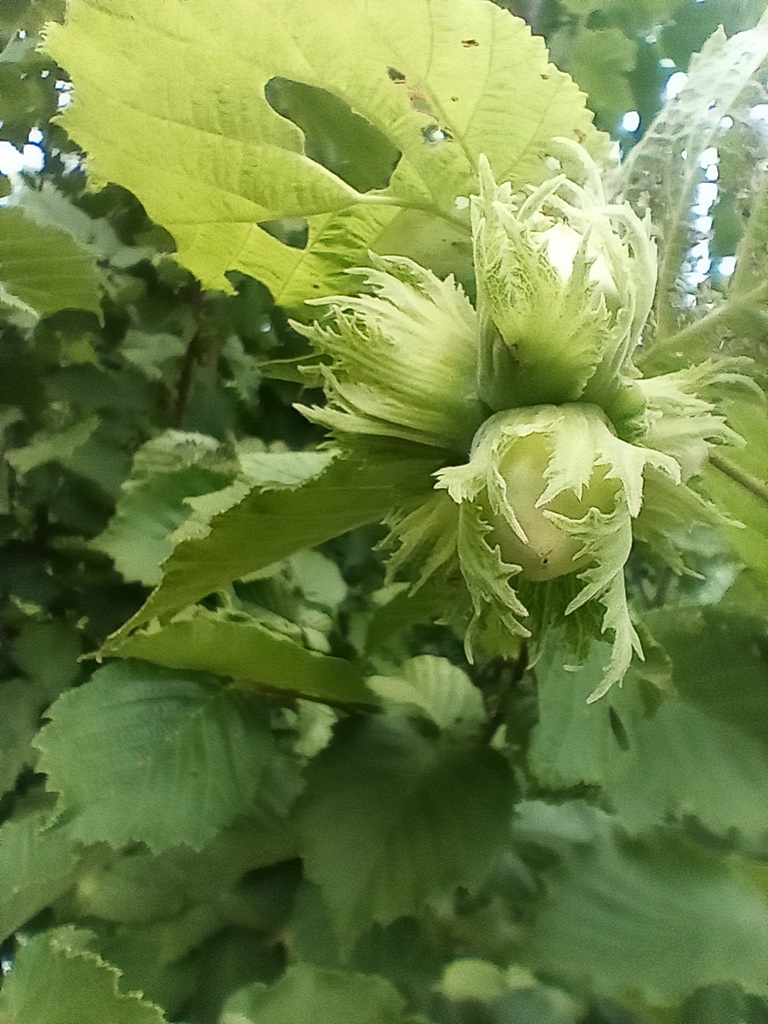
The hazelnuts are just starting to form — it looks like we’ve got nuts developing on the newer plants on the north side too. As far as propagating plants, I’ve pretty well established that dropping a woody cutting in willow water doesn’t work. Dropping a green cutting in water doesn’t work. Next, I’m going to try a green cutting in soil and air layering. I’ve found a few places online that say air layering worked … even if it looks a little odd having bundles of soil wrapped around the branches of your shrubbery.